Last night at Interlock Rochester, someone did a lightning talk on Liberte Linux — one of those anonymity Linux distros similar to TAILS and the like. Everything seemed pretty standard for an anonymity machine, all traffic was tunneled over Tor using iptables, only certain software was able to be installed, full disk encryption, memory wiping — But one thing stuck out, this service called “Cables.”
Cables Communication:
Cables (or Cable I really don’t know) is designed by a person that goes by the name, Maxim Kammerer. He is also the creator of Liberte Linux. Its purpose is to let user A communicate with user B, in an E-mail-like way, but with anonymity and security in mind. Before this, Tor users would use services like TorMail, until that was taken down. I don’t know if that was the inspiration for this new service, but it seems like it’s an attempt to fill that hole.
![liberte-logo-600px[1]](/wp-content/uploads/2013/11/liberte-logo-600px1.png)
Overview:
Here’s a very simplified functional overview:
- User generates a Cables certificate which is a 8192 bit RSA X.509 certficate
- The fingerprint for that certificate is now that user’s username (like “antitree” is the username of “[email protected]”)
- A Tor hidden service is created and that is the domain of the address you’re sending (e.g xevdbqqblahblahlt.onion)
- This “Cables Address” is given to the trusted party you’d like to anonymously communicate with
- You setup a mail client like Claws, to handle communications to send these messages to the addresses
- Your email is saved into the Cables “queue” and is ready to be sent
- Cables then looks for the receipient’s Cables service, and lets it know it has a new message
- Once a handshake is complete, the message is sent to the user
So that’s a userland understand of it, but I’m glossing over a lot of important stuff like how Cables talks to another Cables service, what kind of encryption is being used, key exchange things… You know, the important stuff.
Cables messages are CMS
There are two important parts to understand about cables. The encrypted message format, and the way that it communicates information. Cables uses an implementation of the Cryptographic Message Syntax (CMS), which is an IETF standard for secure message communications. You can read more about how CMS is supposed to work here. In short, Cables messages are the CMS format implemented with X.509-based key management. My take-away from this is “Good – it’s not designing a new crypto.”
Communication Protocol
Although email is the most common example, Cables is not stuck in one way in which you communicate these messages – it’s transport independant. From what I see, it could be used securely share file to another user, as an instant message service, or exchanging information over some new communication protocol. This is why it fits nicely using Tor (and I2P) and a transport.
All communications are done via HTTP GET requests. This is a big part of understanding how this works. Cables comes with wrappers to help it feel more like a mail protocol, but all transmissions communicate over HTTP. For example, if you you look at the “cable-send” command in the /home/anon/bin path, you’ll notice it’s just a bash script wrapper for the “send” command. But that’s ALSO a bash script to interpret the mail message format and save it into a file path.
HTTP Server
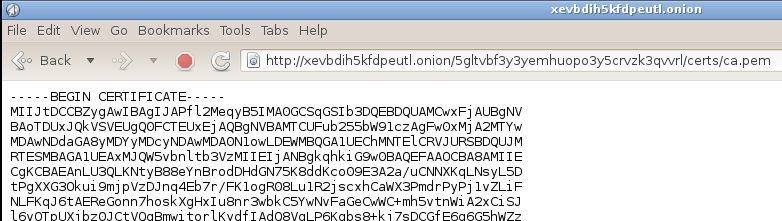
This HTTP service is facilitated by the appropriately named “daemon” process which is the service shared via your .onion address. This service runs on local port 9080, and is served up on port 80 of the hidden service. So if you visit your hidden service address on that port, you receive a 200 ok response. But if you give it a URL like the one below, you can actually access files on the file system. There is a 1 to 1 translation between the files saved in the path /
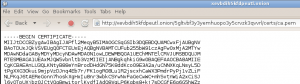
This web service responds to every request, but only certain requests deliver content. Here are the standard ones:
- /{Username}/
- certs/ca.pem
- certs/verify.pem
- queue/{message_id}
- rqueue/{message_id}.key
- request/
Most of these just serve up files sitting on the file system. /request/ initiates the service requests and starts the transfer.
Daemon push?
If you didn’t think so already, this is where it starts to get odd. This daemon regularly looks inside the queue folder (using inotify) for new messages to send. This is done on a random basis so that new messages are not sent out at the exact same time, each time. This is an attempt to prevent traffic fingerprinting — an attack where someone is able to sniff your traffic and based on the traffic schedule, predict that you’re using Cables. In other words, when you go to send a secure message, what you’re doing is taking a message, encrypting it into the designated CMS specification, and plopping in a special place on your hard drive. Then the daemon service looks in that path and decides if you’re trying to send something.
Ok Crypto
I don’t yet have a grasp on the crypto besides understanding that it generates a certificate authority on first run which helps generate the rest of the keys used to sign, verify, and encrypt messages. It uses an implementation of Diffie-Helman for ephemeral keys and then there’s some magic in between the rest. 🙂 My first take on this is that its weakest points are not the cryptography, but the communication protocol.
Impressions So Far
If I’m scoping this project for potential attack vectors, I’d predict that there’s going to be something exploitable in the HTTP service implementation. That’s me being a mean, security guy, but I feel that’s going to have the lowest hanging fruit. This is mitigated by the fact that Tor hidden services are not something you can discovery, so even if there was an attack, the attacker would need to know your hidden service, and probably your username.
Although I keep mentioning that it’s aimed at being an email replacement, there’s one major difference which is that instead of having a dedicated SMTP server, messages are sent directly to the recipient which means that that user must have his box up and running. The default timeout for messages to fail is 7 days.
I think so far that CMS is a good way to go, but using GET PUSH style HTTP for transmission, might prove to be its eventual downfall. I’m not poo-pooing the project, but there are some challenging hurdles that it’s aiming to leap.
![userstats-bridge-transport[1]](/wp-content/uploads/2014/09/userstats-bridge-transport1.png)
![screen1[1]](/wp-content/uploads/2014/07/screen11.png)
![52164288[1]](/wp-content/uploads/2014/07/521642881.jpg)
![52164332[1]](/wp-content/uploads/2014/07/521643321-300x225.jpg)