Introducing Seccompare.com: Seccomp Diffs For Containers
· Containers
Seccompare.com quickly compares two container seccomp profiles and includes a handy syscall lookup table.
Are you interested in some practical guidance for applying custom seccomp profiles for a container? You aren’t?? Too bad. Here it comes.
Check out https://www.seccompare.com
Custom Seccomp Profile Auditor
Here’s what it is: Let’s assume the role as the worlds greatest security engineer with an expertise in containers. As that expert you may recommend overriding the default seccomp profile that gets applied by default today, with a more custom, artisinally crafted, purposefully built seccomp-bpf profile that is intended to restrict your container to only perform operations that you support.
I’m skipping over how to do that for now but congrats! You’ve made a seccomp profile that is designed for your web application, or weird container tool that will make sure it limits execution to only what is necessary. There’s only one problem: How do you know you’ve build something that’s more secure than the default seccomp profile that was already going to be applied? Or how do you know that the latest version of your seccomp profile is more or equally secure than the last iteration?
Enter seccompare.com.
This tool came out of my own need for being able to analyze seccomp profiles that were being automatically built but ended up adding a bunch of unnecessary system calls to the allowed list. I can’t tell you how many tools I’ve seen that have promised to generate seccomp profiles by exercising your container for you, capturing the system calls, and pumping them into a seccomp JSON file with the hopes that it will secure the container (let alone let it start).
My aim for this tool is to help expose risky seccomp profiles that are created and give you insights about what system calls are useful and necessary for your container.
Example A: Hello World Strace
Here’s a seccomp profile for a Hello World application:
{
  "archMap": [
    {
      "architecture": "SCMP_ARCH_X86_64",
      "subArchitectures": [
        "SCMP_ARCH_X86",
        "SCMP_ARCH_X32"
      ]
    }
  ],
  "defaultAction": "SCMP_ACT_ERRNO",
  "syscalls": [
    {
      "action": "SCMP_ACT_ALLOW",
      "names": [
        "arch_prctl",
        "brk",
        "exit_group",
        "fstat",
        "getrandom",
        "mprotect",
        "prlimit64",
        "readlinkat",
        "rseq",
        "set_robust_list",
        "set_tid_address",
        "write",
        "close",
        "openat",
        "futex",
        "getpid",
        "fcntl",
        "epoll_ctl",
        "fstatfs",
        "getdents64",
        "execve",
        "sendto",
        "bpf"
      ]
    }
  ]
}
Example B: Hello World Inspektor Gadget
How about the same container using a different tool?
{
  "defaultAction": "SCMP_ACT_ERRNO",
  "architectures": [
    "SCMP_ARCH_X86_64",
    "SCMP_ARCH_X86",
    "SCMP_ARCH_X32"
  ],
  "syscalls": [
    {
      "names": [
        "arch_prctl",
        "brk",
        "capget",
        "capset",
        "chdir",
        "close",
        "epoll_ctl",
        "epoll_pwait",
        "execve",
        "exit_group",
        "faccessat2",
        "fchown",
        "fcntl",
        "fstat",
        "fstatfs",
        "futex",
        "getcwd",
        "getdents64",
        "getpid",
        "getppid",
        "getrandom",
        "mprotect",
        "nanosleep",
        "newfstatat",
        "openat",
        "prctl",
        "prlimit64",
        "read",
        "readlinkat",
        "rseq",
        "rt_sigreturn",
        "set_robust_list",
        "set_tid_address",
        "setgid",
        "setgroups",
        "setuid",
        "syscall_1f4",
        "tgkill",
        "write"
      ],
      "action": "SCMP_ACT_ALLOW"
    }
  ]
}
Sharing Results
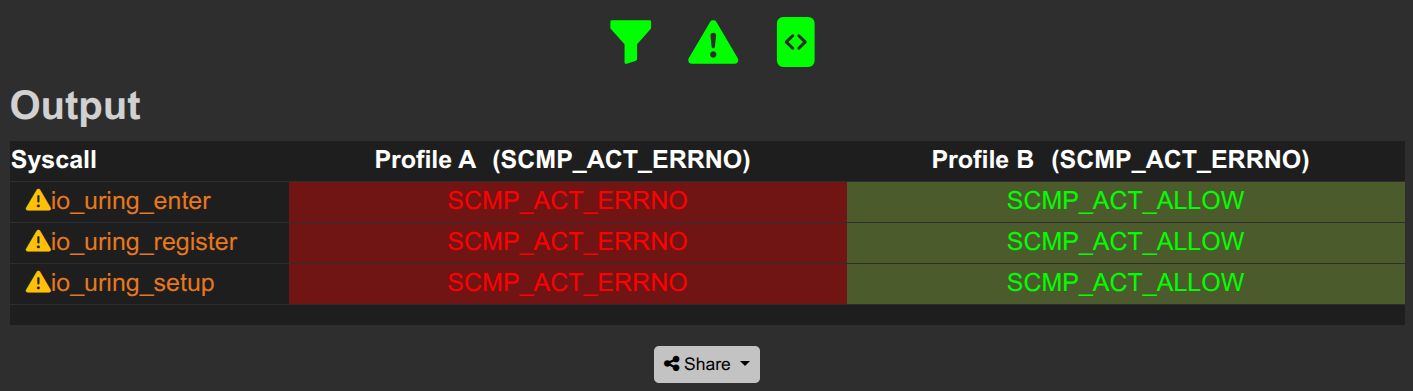
Maybe you caught the difference, maybe not… I wanted this application to be shareable between people so I’ve supported a share function that lets you take results and share it with others, coworkers, parents, people on the street, whatever. Here’s the diff from the example above:
Can you spot the problem??
BONUS: A Look-up Table
I’ve also included my own opinionated system call table that describes what a system call does and its security impact, if it’s racey and some guidance around whether or not you should include it in your profile.
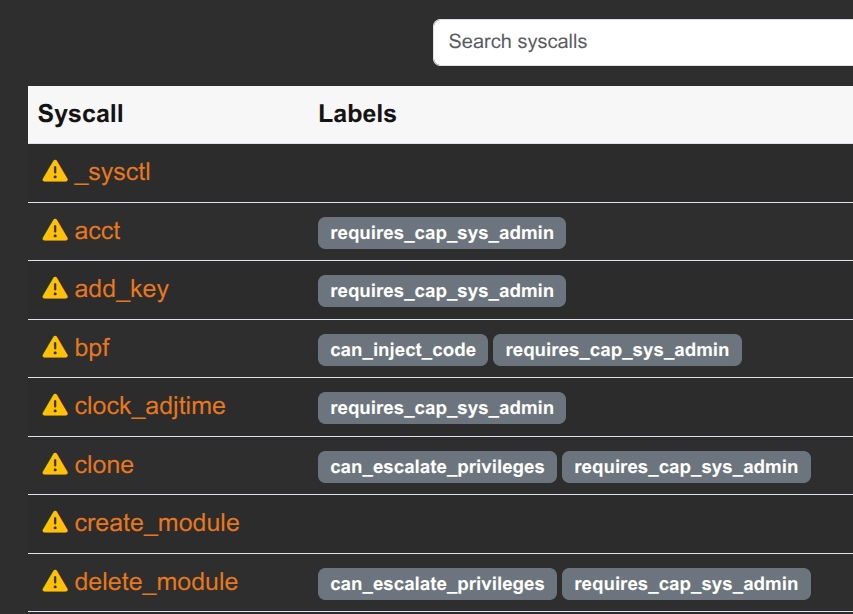
This is designed to be a partnership with my other tool seccomp-diff to help us understand seccomp-bpf as it applies to containers and gather some data to improve this in the future. If you find this useful or interesting, I’d love to hear from you. I’m hosting this with the hopes that I can strike up more conversations about sandboxing and system calls with you at hacker summer camp this year.